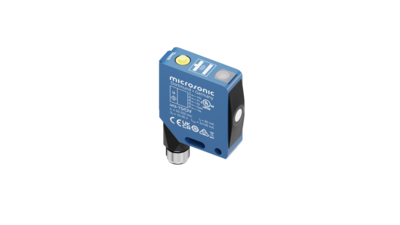

坚固的金属外壳
ucs传感器坚固的金属外壳与工业标准的光电传感器相互兼容。可以旋转的接插件可以灵活的选择安装位置并使接线更加灵活。


ucs系列传感器具有坚固的金属外壳,与标准化的光电传感器外形尺寸完全兼容。
 0.15 m
 0.24 m
The sensor matrix gives an overview of standard sensors from ucs family. Make your choice based on operating range and available outputs and click in the matrix.

ucs传感器坚固的金属外壳与工业标准的光电传感器相互兼容。可以旋转的接插件可以灵活的选择安装位置并使接线更加灵活。
 2个推挽式开关量输出,可选在带有IO-link接口的pnp或者npn电路中
By default, switching output F1 works antivalent to switching output F2. Using LinkControl or IO-Link, the antivalence of switching output F1 can be canceled.
传感器顶部的自学习按钮,使得对所需的检测点和工作模式的设置变得非常方便。
显示两个开关量输出的开关状态。
the sensor can be optimally aligned to the object during installation.

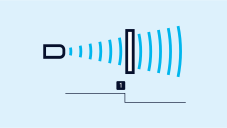

can be set up with the help of a permanently mounted reflector by mounting the ucs sensor and the reflector, then pressing the button for approx. 3 seconds and then pressing it once more for approx. 10 seconds. Now, the two-way reflective barrier has been set.
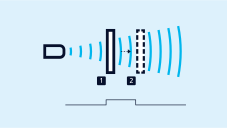
by initially positioning the object to be detected on the sensor-close window limit (1), pressing the button for approx. 3 seconds, shifting the object to the sensor-distant window limit (2) and pressing the button once more for approx. 1 second. Ready.
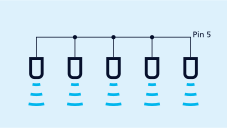
can be synchronised with one another. To do this, all the sensors are electrically connected on pin 5 on the M12 circular connector.
If more than 10 sensors must be synchronised, this can be carried out with the SyncBox1 , which is available as an accessory
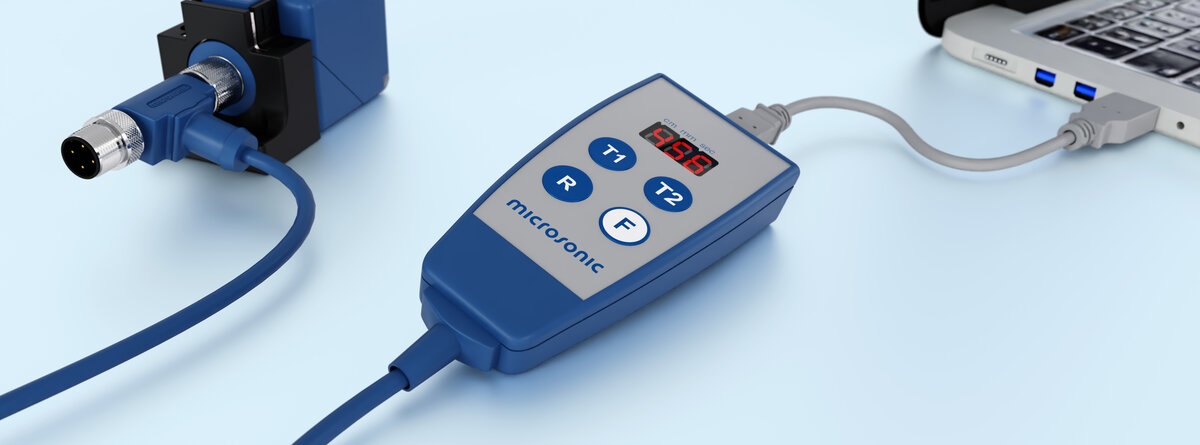
optionally permits the extensive parameterisation of ucs sensors. The LCA-2 LinkControl adapter, which is available as an accessory, can be used to connect ucs sensors to the PC.
在1.1.2版中,lpc+传感器配备了智能传感器配置文件,从而使得IO-link设备之间的通讯更简便。
With us, you can easily find an individual solution. Let us talk about your application: +49 231 97 51 51-82.